Math games · Kindergarten to 6th grade · Ages 5 to 12
Turn tonight's math worksheet into a game your child plays
The worksheet is on the table. Your child is under it. And you're not sure how they teach subtraction these days.
Snap a photo instead. In about a minute you get practice questions on the same skill with new numbers. You check
them. Your child plays them. You see what's going well and what needs work.
7 days free on your first plan, then $9.99 a month. Cancel before day 7 and pay nothing.
Sound familiar?
The homework fight. A short worksheet turns into a long night.
"I don't know how to help with this." The method has changed since you were in school.
The tablet. They're on a screen anyway. It could be practice.
The Family Plan fixes all three at once. Your child practices exactly what their class is doing, inside a game,
and you never have to teach a method you don't remember.
From photo to playing in about a minute
No printing. No marking. No making up questions at the kitchen table.
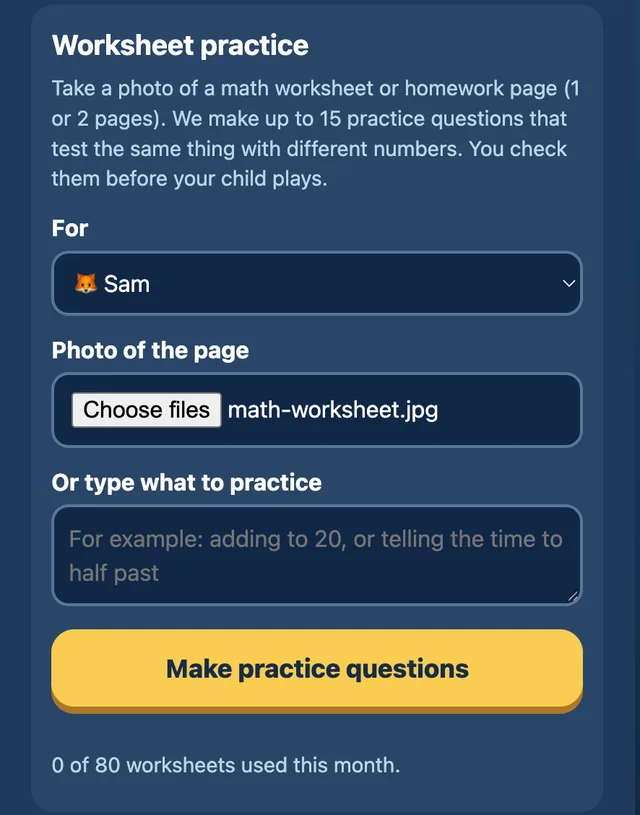
Snap the worksheet
Photograph a math worksheet or homework page, up to 2 pages. No sheet? Type or say what they need, like "practice adding to 20".
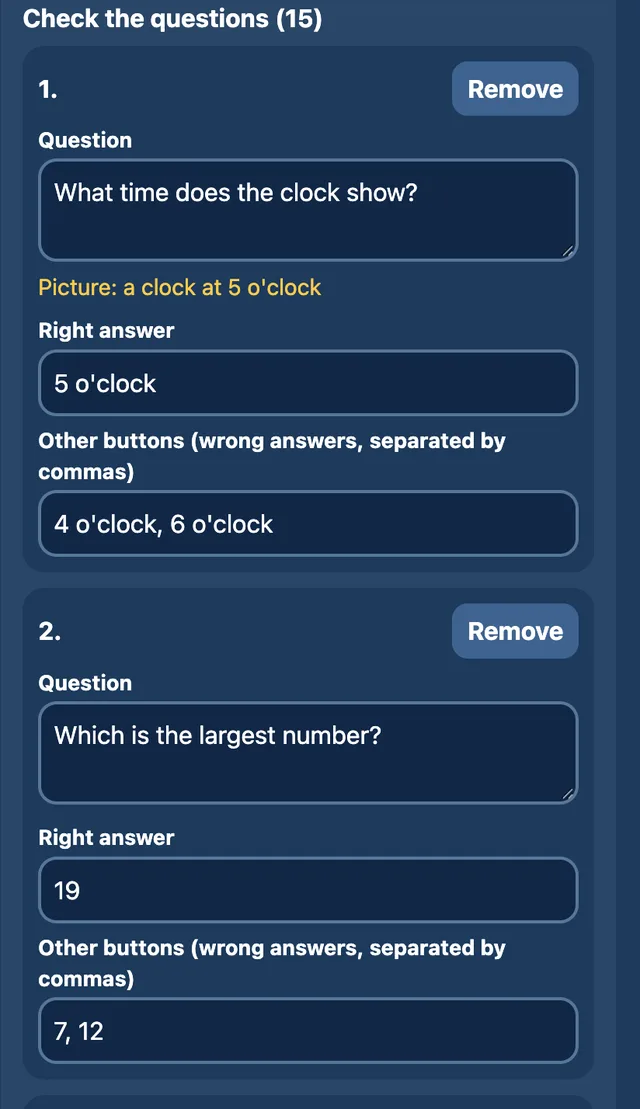
You approve every question
AI writes up to 15 "twin" questions: same skill, different numbers. You can change the wording, the right answer or the wrong-answer buttons, or remove a question, before you approve.
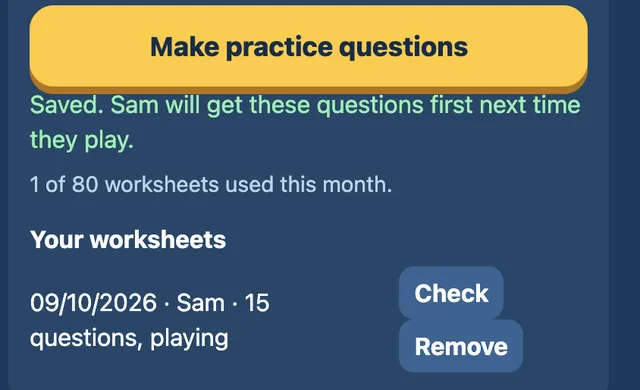
They play it today
Your approved questions come first in every game, in the same order as the page. After that they join your child's regular reviews, so the skill keeps coming back.
Why you can trust the answers. In our testing on real workbook pages, every twin question's answer
was checked by three separate AI reviewers: Claude, ChatGPT and Gemini. Then you check every question before your
child sees it. The photo is deleted as soon as it's read. Only the questions are kept.
A question pops up. They answer. The game keeps going.
There are 17 games: racing, rooftop swinging, penalty kicks, a monster tower, a village full of quests and more.
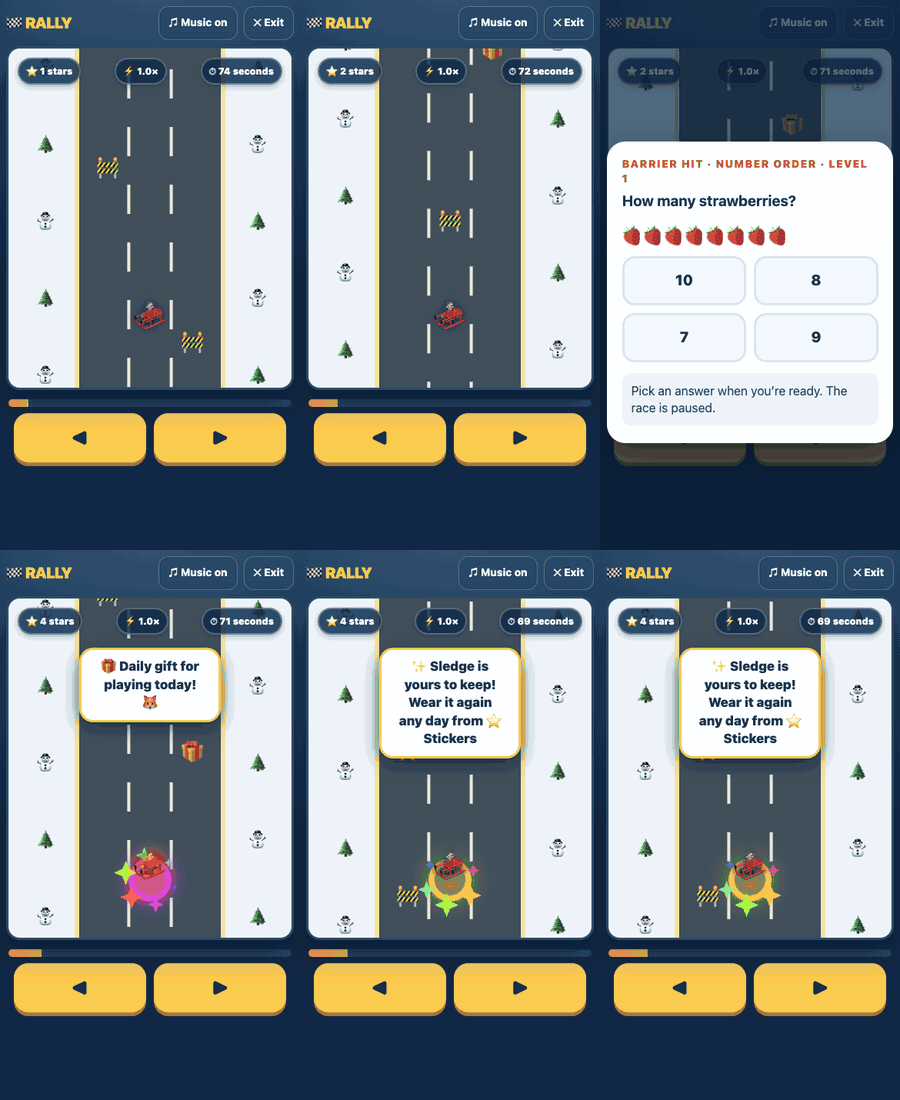
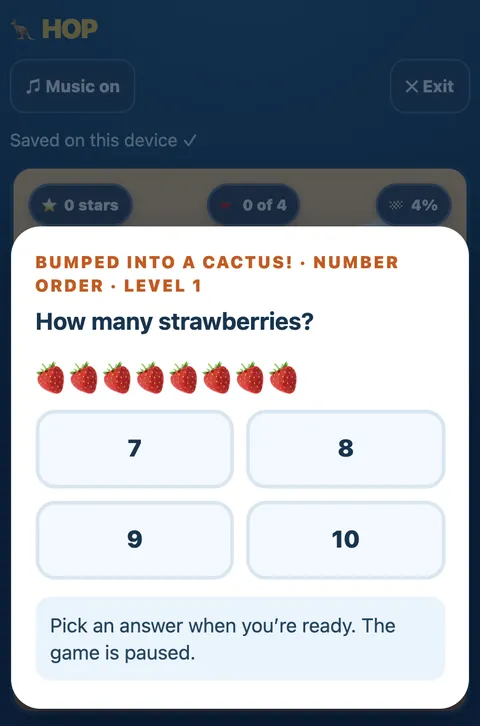
Every so often the game pauses for a math question. In the games below, right first time earns stars and a
short power-up.
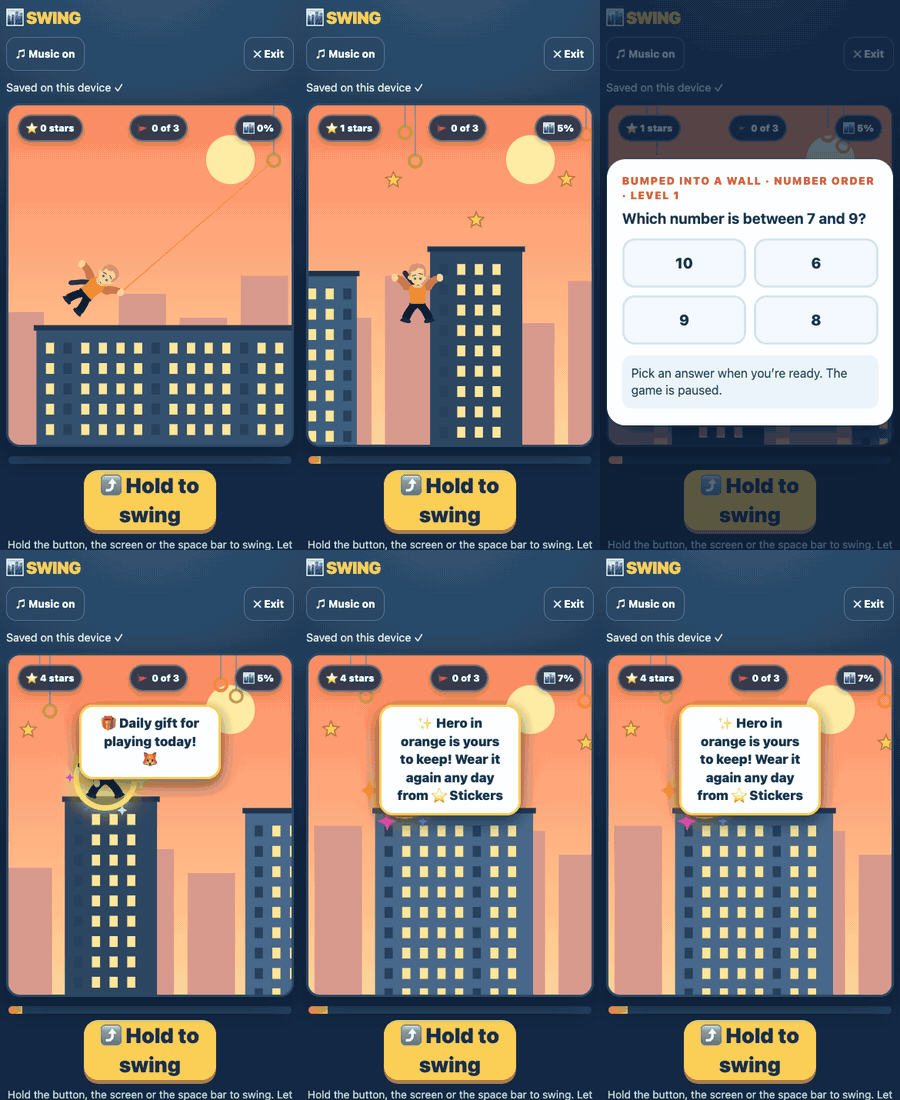
Rally. Hit a barrier and the race pauses for a question. Right first time earns stars and a power-up.Swing. Swing between rooftops. Bump a wall and it's question time.
17 games. They pick one. The math comes too.
Rally, Swing, Hop, Flight, Snowboard, Penalty, Stack, Climb, Catch, Stunt Bike, Snake, Bubble, Taekwondo, Fighter,
Monster Tower, Village Quests and Monster Maker. Their practice follows them from one game to the next.
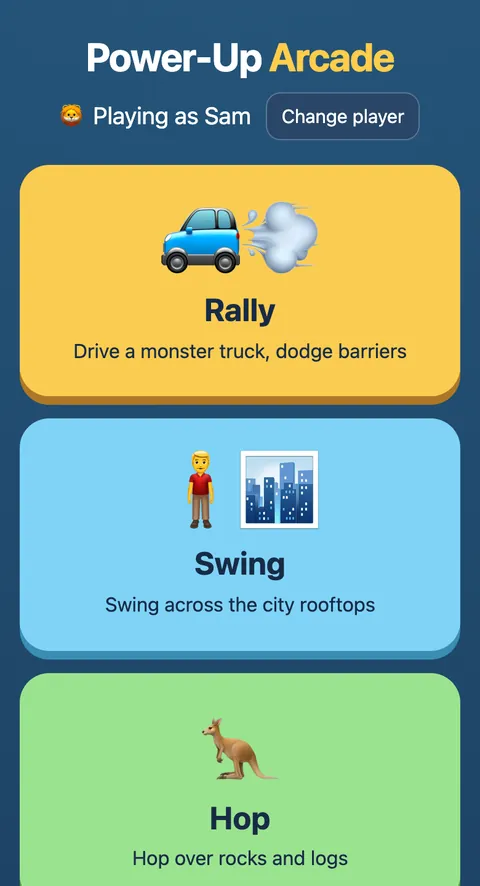
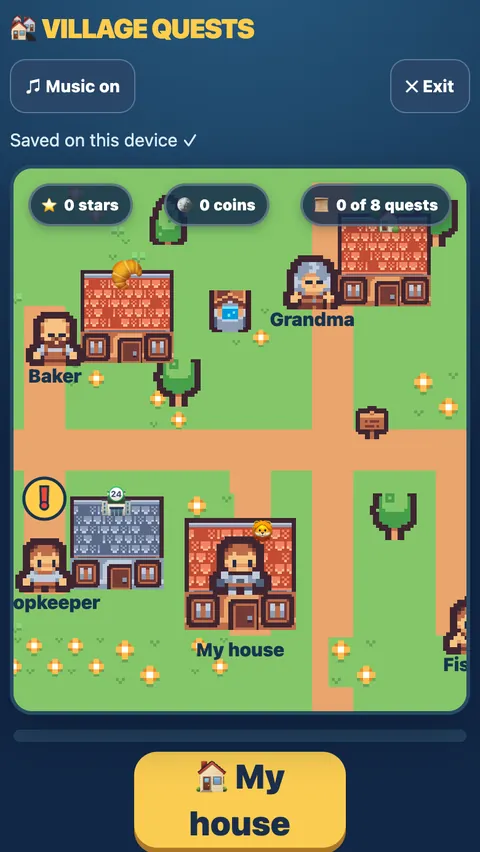
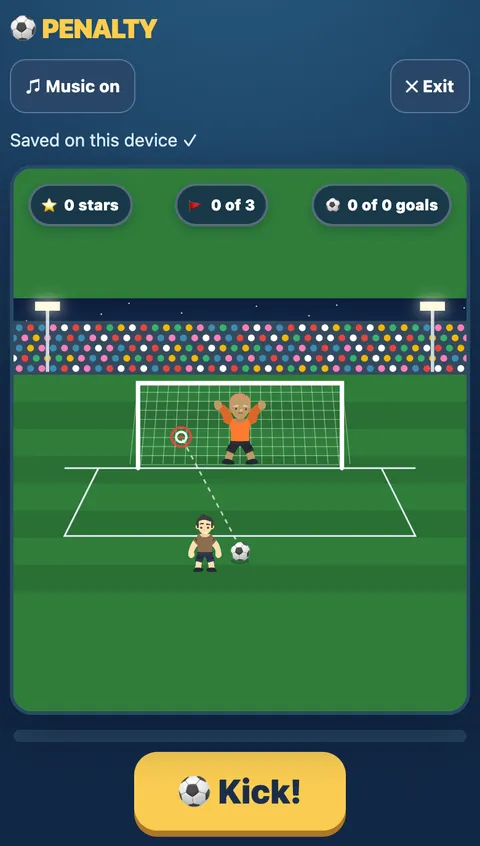
The arcade. Each child gets their own player.Village Quests. Walk around and help the villagers.Penalty. A little math from the penalty spot.The game waits until your child is ready.
The 17 built-in games and 1,260 questions cover the early grades: adding and subtracting, missing numbers, money,
telling time, shapes, tens and units, word problems and more. Worksheet photos work at whatever level your
child's own worksheet is, through 6th grade. So when the class moves on, the practice moves with it.
Everything you get with the Family Plan
Their own homework, turned into practice.80 worksheet photos a month (960 a year on the yearly plan). Each makes up to 15 twin questions. Extra worksheets are 10¢ each.
All 1,260 built-in questions.Plus new ones made up as your child plays, so they never run out.
You approve every question.Edit the wording, the right answer or the wrong-answer buttons, or remove it. Nothing reaches your child you haven't checked.
A reward they work for.Set a goal for each child, like a trip to the park for 30 answers right first time. Only first-try answers count, so guessing never fills the bar.
A parent report.Days played, right first try, topics going well, topics to practice and their latest slips.
Every device.Sign in on the tablet, the laptop and your phone. Progress follows them.
Every child in the family.Up to 6 players on one plan, each with their own practice.
All 17 games.Racing, swinging, quests and more, with the math built in.
Share a worksheet with another parent.After you approve a worksheet's questions, send them to a classmate's family with the same homework. They add the questions to their own games free, and it doesn't use any of their 80 worksheets. The link gives them a free first month too.
Give a free month, get a free month.Your family page has an invite link. A friend who joins with it gets their first month free instead of 7 days. When they start paying, you get a free month ($9.99 off your next bill).
Download the results.Each child's results as a spreadsheet (CSV), whenever you want them.
A tutor sees your child's worksheet once a week. A printed workbook has never seen it at all. The Family Plan
works from the worksheet your child actually brought home, on any night you need it.
One price for the whole family
Family Plan
7 days free on your first plan
$9.99 / month after the trial
or $99 a year (2 months free)
Worksheet photos: 80 a month (960 a year on yearly), then 10¢ each. The trial includes 3.
All 1,260 questions, plus new ones made up as they play
You check and edit every question
Parent report
Every device, up to 6 players
Share worksheets with other parents. Invite a friend: their first month is free, and you get a free month when they start paying.
Cancel anytime from Manage payments in your family account
7-day free trial. Your first Family Plan starts with 7 days free. You add a card at checkout. Cancel before day 7 and you pay nothing. The trial includes 3 worksheet photos; the full 80 a month start when your plan does.
Or let them try a few games first. Free, with no account and no card. Play tonight and see if your child likes them.
Leave anytime. If the Family Plan isn't for you, cancel anytime from Manage payments in your family account.
Know what's going well and what needs work
No more "how was math today?" "Fine." The parent report shows you:
Days playedHow often your child has been playing.
Right first tryQuestions answered correctly on the first go.
Going wellThe topics your child has got the hang of.
To practiceThe topics worth another look.
Latest slipsThe most recent questions that tripped them up.
Want the detail? Download each child's results as a spreadsheet (CSV).
Pick a reward and a target for each child, like a trip to the park for 30 answers right first time. A five-stage bar
fills up on the games home and in every game, so they can see how close they are without you saying a word.
Only answers right on the first try count, so tapping every button until one is right never moves it.
Built by a dad, for his own kid first
These games started at home: a dad built them for his own 7-year-old. Now any family can use them, and your child
can try a few games free, with no account.
Questions parents ask
What ages and grades is it for?
Kindergarten to 6th grade, about ages 5 to 12. The 17 built-in games and 1,260 questions cover the early grades. Worksheet photos work at whatever level your child's own worksheet is, through 6th grade, so the plan grows with them.
How fast are the questions ready?
About a minute after you snap the worksheet. Check them, approve them, and your child can play them the same night.
What happens to the worksheet photos?
The photo is deleted as soon as it's read. Only the practice questions are kept. The details are in our games privacy notice.
Can I change the questions before my child sees them?
Yes. You can edit each question's wording, its right answer and its wrong-answer buttons, or remove it, before you approve. Nothing reaches your child until you do.
Is it safe for my child?
Trying a few games free needs no account: type a first name, pick an animal and play. With the Family Plan, every worksheet question is checked and approved by you first, and worksheet photos are deleted as soon as they're read. The details are in our games privacy notice.
Is there a free trial?
Yes. Your first Family Plan starts with 7 days free. A card is taken at checkout, and if you cancel before day 7 you pay nothing. The trial includes 3 worksheet photos; the full 80 a month start when your plan starts. After the trial it's $9.99 a month or $99 a year.
How do I cancel?
Cancel anytime from Manage payments in your family account.
What counts as one worksheet?
One photo upload of up to 2 pages counts as one worksheet and makes up to 15 twin questions. A typed or spoken request, like "practice adding to 20", also counts as one. The Family Plan includes 80 a month (960 a year on the yearly plan), then 10¢ per extra worksheet. Worksheet photos are for math only.
Will it give my child the homework answers?
No. Twin questions practice the same skill with different numbers, so your child still does the thinking and the homework stays theirs.
How many children can use one plan?
Up to 6 players, on every device you sign in on. Each child has their own practice.
What devices does it work on?
The games run in a web browser, so there's nothing to install. With the Family Plan, sign in on each device and your child's questions and progress come with them.
Do I get anything for inviting another parent?
Yes. Your family page has an invite link. A friend who joins with it gets their first month free instead of 7 days. When they start paying, you get a free month: $9.99 off your next bill.
Can I share questions with other parents?
Yes. After you approve a worksheet's questions, you can share them with another parent, say a classmate's family with the same homework. They add the questions to their own games for free, and it doesn't use up any of their 80 worksheets. The share link also gives them a free first month.
Can I download my child's results?
Yes. You can download each child's results as a spreadsheet (CSV).
Can I set a reward for my child?
Yes. On the games home you set a reward and a target for each child, for example a trip to the park or choosing Friday's dinner for 30 answers right first time. A five-stage bar shows on the games home and in every game. Only answers right on the first try count, so tapping through the buttons until one is right never moves it.
Start with tonight's worksheet
The best practice is the skill they're learning this week. Snap it, check it, and they can play it before bed.